
 Log In

How to Use Classwallet Marketplace
To make a purchase using Classwallet Marketplace, please follow the steps below.
Currently, Miacademy is available on Classwallet Marketplace for the following programs:
Miacademy & MiaPrep – Curriculum Only
Miacademy & MiaPrep, plus workbooks:
1
Log in to browse the marketplace.
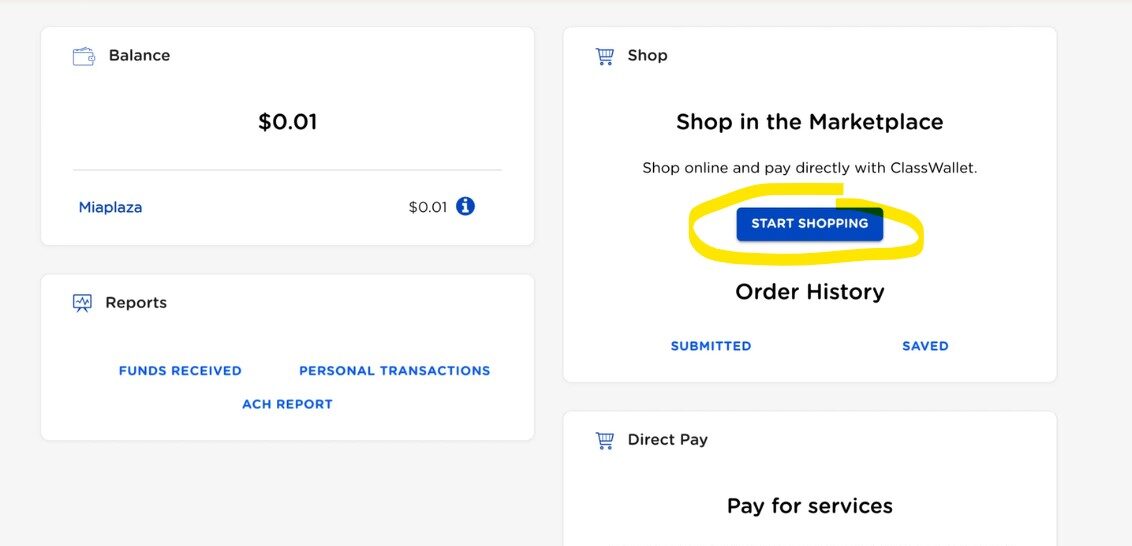
After logging in, click “Start Shopping” to browse the marketplace options.
2
Find our curricula in the marketplace.
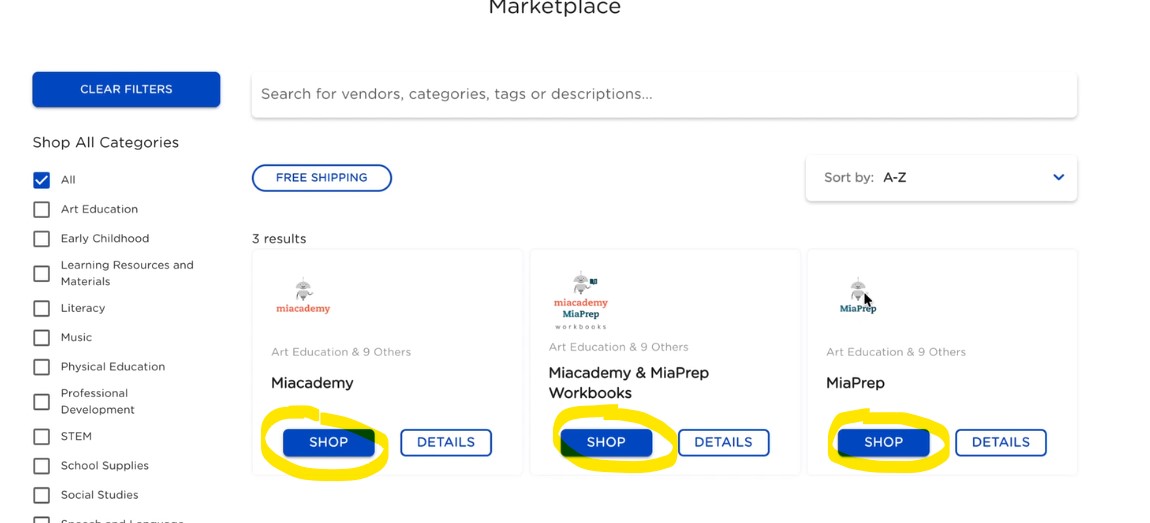
In the marketplace, you’ll find our Miacademy and MiaPrep curriculum options.
In select state funding programs, you may also see an option for Miacademy & MiaPrep Workbooks (pictured below).
Click “Shop” to place an order.
3
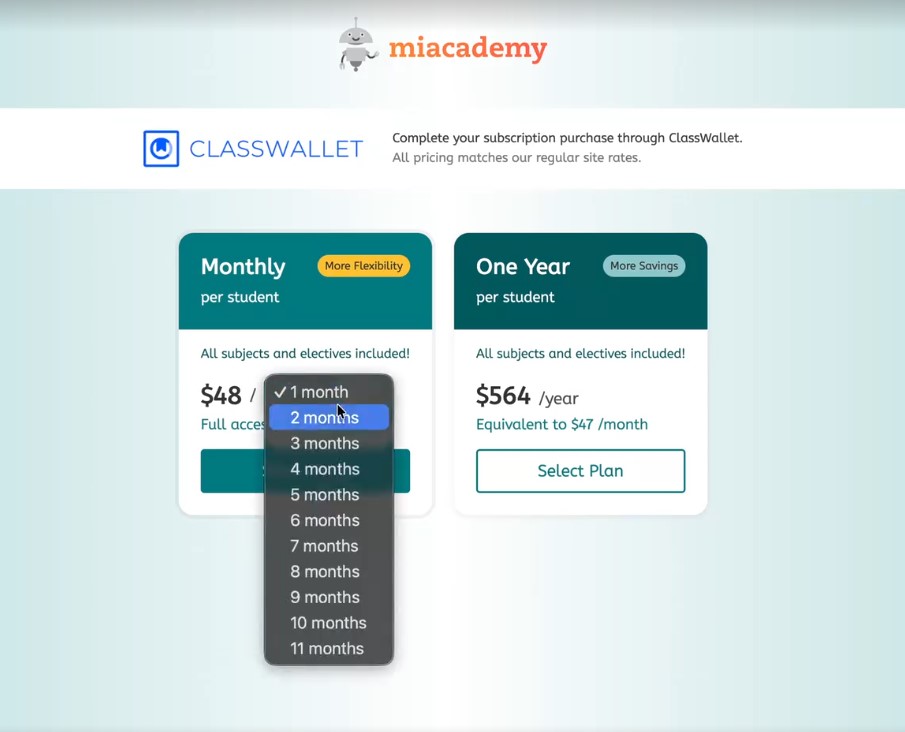
Choose your membership.
(Curriculum purchases only)
Select the membership duration (1-12 months).
Currently, Classwallet doesn’t allow the purchase of lifetime memberships, or the use of discount codes.
If you would like to purchase a lifetime membership, or use a discount code, please request an invoice from us, indicate on the form that you would like to purchase a lifetime membership or use a discount code, and submit the invoice to ClassWallet DirectPay.
4
Set up your account.
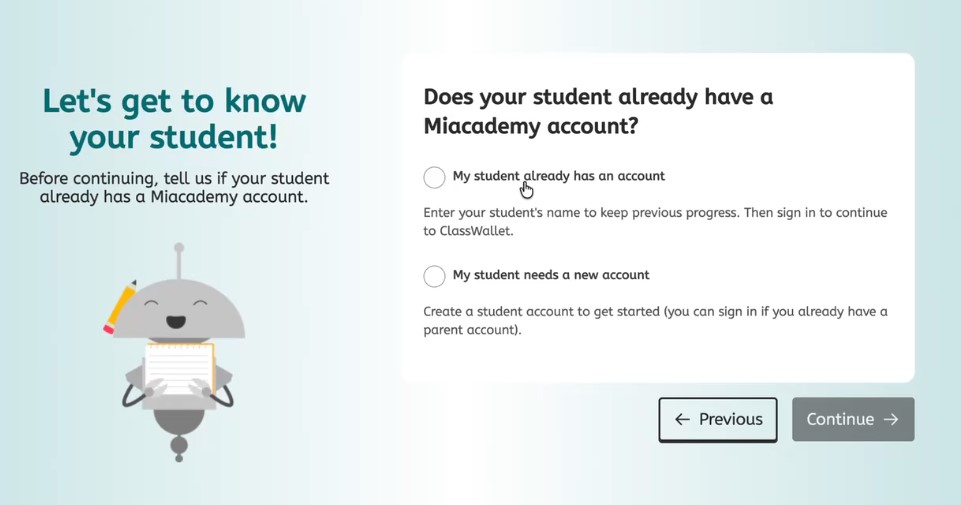
You will be asked if you have an existing account with us.
- If you already have an account, you will be prompted to log in and select the student account you are purchasing for
- If you do not have an account, you will be prompted to create a new account & provide consent
5
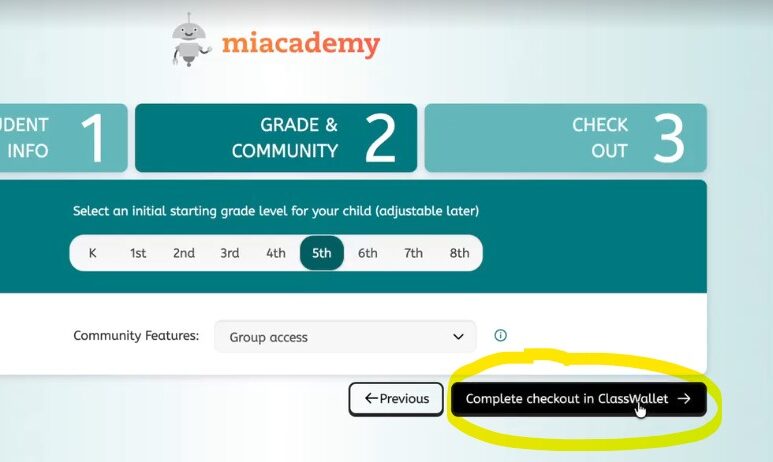
Complete checkout.
Click “Complete Checkout in ClassWallet”.
6
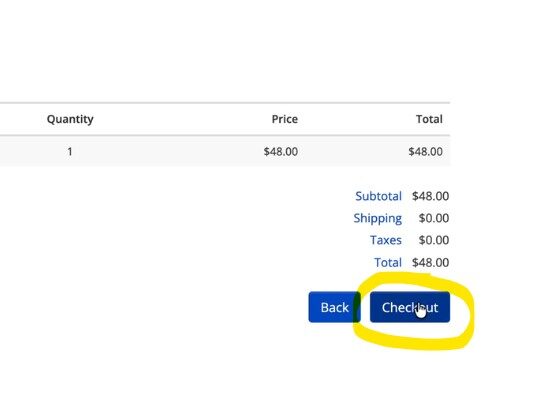
Submit your order.
You will be brought back to the ClassWallet portal, where you will need to click “Checkout” to submit the order.
At this stage, the order is still pending. Once Classwallet Marketplace approves the order, the membership time will be automatically applied to the student’s account.
As a courtesy, you will receive one free week of membership access while Classwallet is reviewing the order.
Important Notes
- Memberships purchased via ClassWallet do not auto-renew. For membership continuity, it is recommended to purchase multi-month memberships.
- For multiple children, please log in to each child’s ClassWallet account to place an order.